

Cart
0
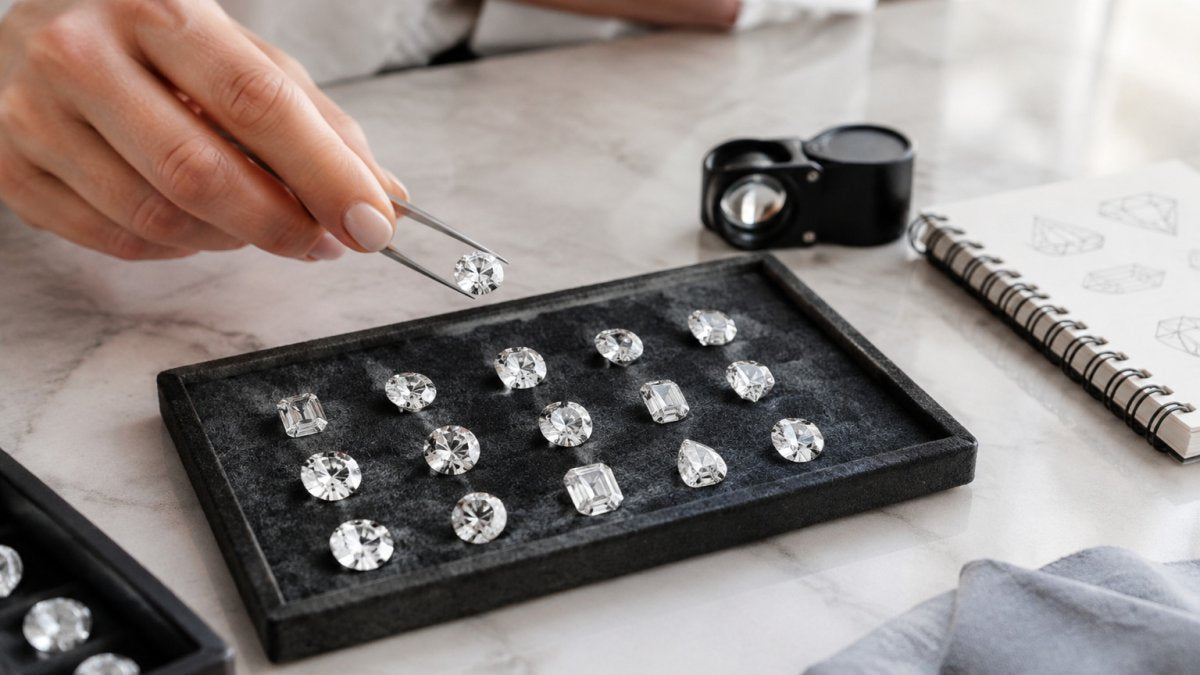
Quick Summary
Start by separating shape from cut grade: shape is the outline you see from above, while cut grade measures how well the facets return light. Choose the shape that suits your style and hand first, then confirm the lab grown diamond cut quality on the grading report before comparing photos.
- Shape and cut grade are different; a cushion can be poorly cut and a round can be well cut.
- Read table percentage, depth percentage and length-to-width ratio on the grading report before judging photos.
- Round brilliants with Excellent cut, polish and symmetry grades are a strong sign of a well-finished stone.
- Compare candidate stones using millimeter dimensions and face-up spread, not carat weight alone.
- Confirm the IGI report number through the online verification portal before ordering.
Table of Contents
- Cut Grade and Shape Are Not the Same Thing
- Start With the Shape That Fits Your Style and Hand
- Check Proportions, Table and Depth Before You Look at Photos
- How to Compare Face-Up Size, Spread and Light Performance Online
- Using a Lab-Grown Diamond Quality Chart to Set Your Priorities
- Pairing Your Cut With the Right Setting for a Best-Cut Engagement Ring
- Booking Your Final Choice With IGI Verification and Native Jewel Support
- Frequently Asked Questions
Cut Grade and Shape Are Not the Same Thing
Last Updated: November 12, 2026
Choosing the right lab grown diamond cut starts with one simple idea: cut grade and shape are two different things. Many shoppers mix them up, and that leads to confusing comparisons. Knowing the difference before you look at a single ring makes shopping much easier.
Shape is the outline of the stone when you look at it from above. Round, cushion, princess, and radiant are all shapes. Cut grade is a measure of how well the stone's facets were cut and polished.
A diamond can have any shape and still have an Excellent cut grade. A cushion-cut stone can be poorly cut, and a round stone can be well cut. Keep these two questions separate:
- Shape: Does this outline suit my style and my hand?
- Cut grade: Does this stone return light well?
Most of the confusion comes from the phrase "cut" on its own. Retailers often use it to describe both the shape and the quality. When a listing says "cushion cut," it usually means the shape.
Start With the Shape That Fits Your Style and Hand
Shape is the first choice most couples make, and it should come first. The right shape feels personal, and it sets the look of the whole ring.
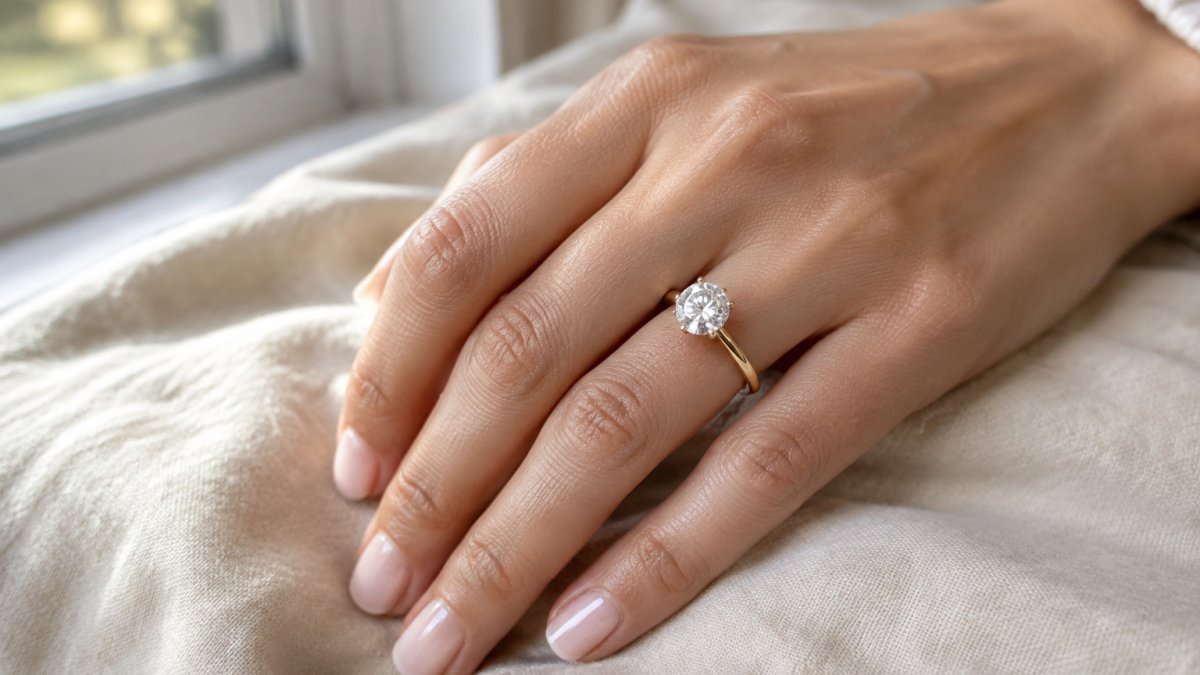
Think about the styles you already wear. Do you prefer clean lines or soft curves? Do you like a bold, modern look or a classic one? Round stones suit traditional tastes. Cushion cuts feel romantic and vintage.
Hand size matters too. Elongated shapes such as oval and marquise can make smaller fingers look longer. For a side-by-side fit comparison, see our radiant vs emerald cut guide for small hands.
Here are our quick picks for common styles:
- Classic and timeless: Round brilliant
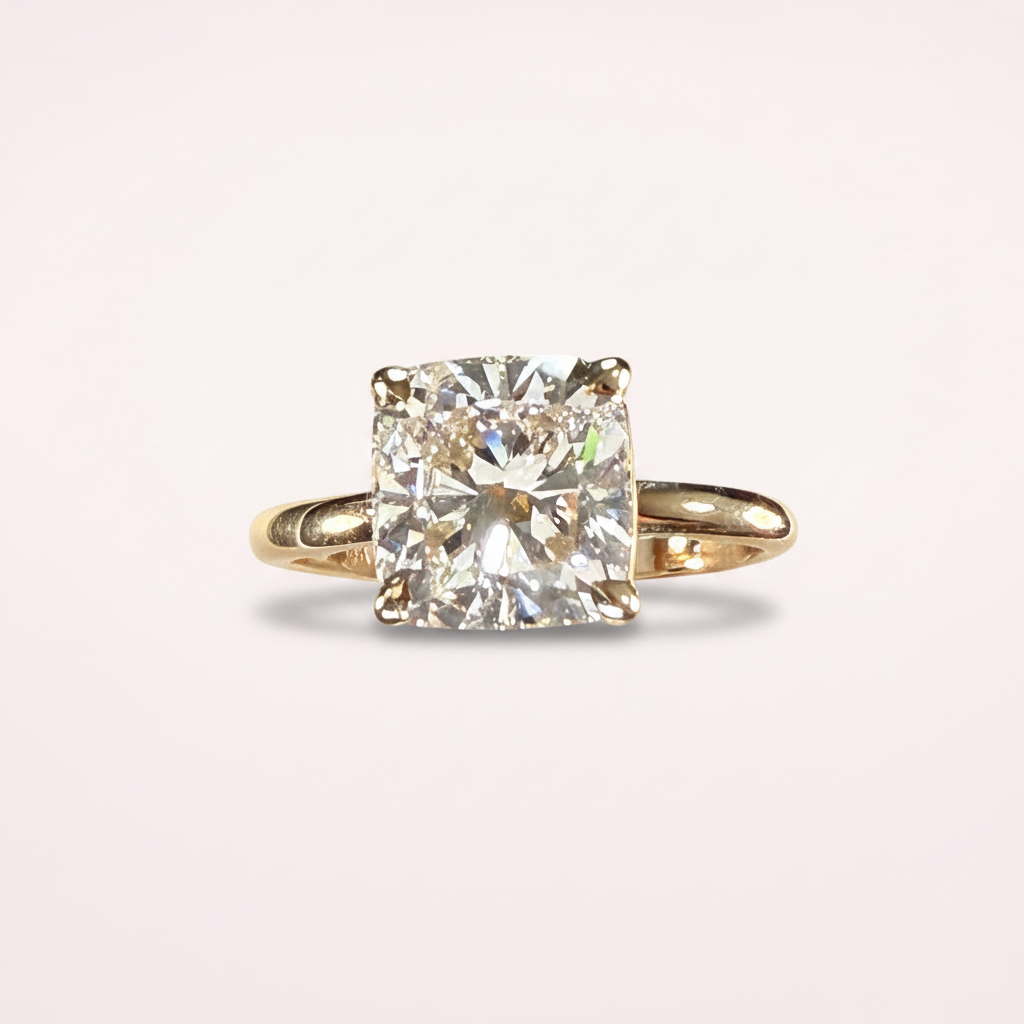
- Romantic and soft: Cushion
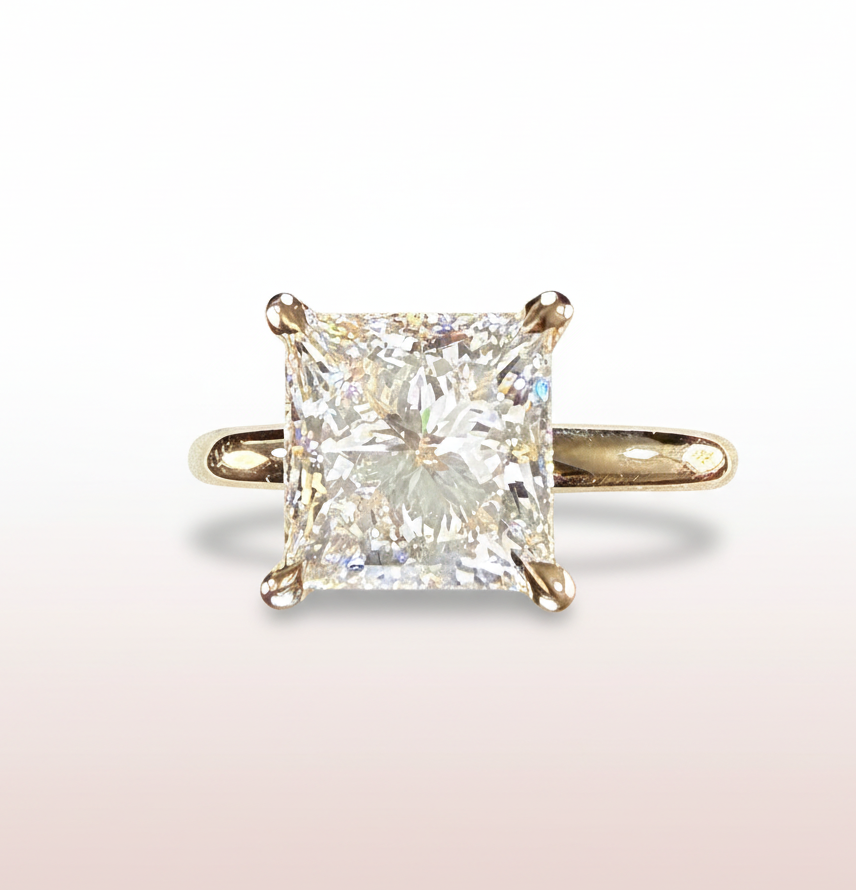
- Modern and sharp: Princess or radiant
- Elegant and elongated: Oval or marquise
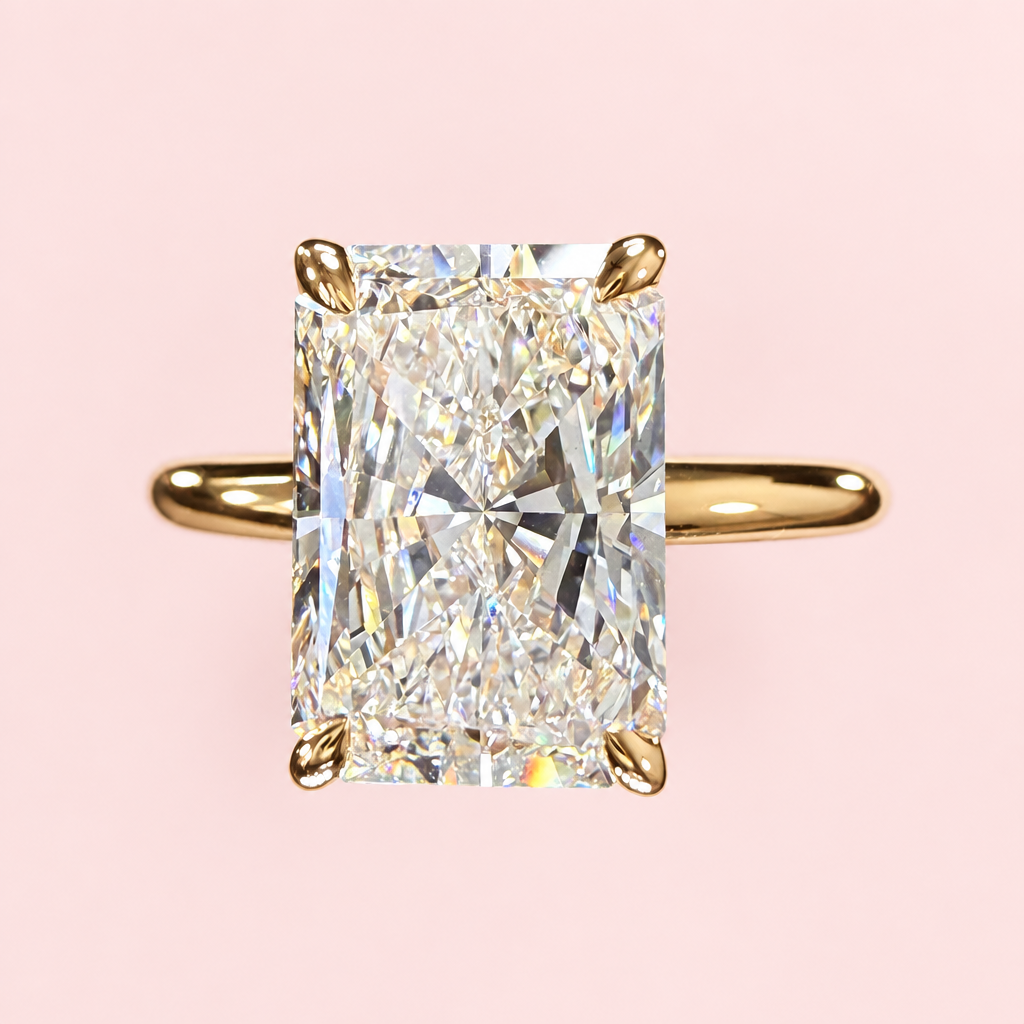
If you want to see how these shapes look in real rings, our 3.00ct Cushion-Cut Lab Diamond Solitaire Engagement Ring in 14K yellow gold shows the soft, romantic style. Our 3.00ct Princess-Cut Lab Diamond Solitaire Engagement Ring offers a crisp, modern look with the same D color and VS1 clarity. For the brightest option, the 3ct Radiant-Cut Lab Diamond Solitaire Engagement Ring pairs strong corners with high sparkle.
Check Proportions, Table and Depth Before You Look at Photos
Cut quality comes down to proportions, and proportions are the measurements that decide how light moves through the stone.
Three measurements matter most:
- Table percentage: The flat top facet measured as a share of the stone's width. A larger table can brighten a stone but may reduce fire; a smaller table can increase dispersion but may darken the center.
- Depth percentage: The total height of the stone compared with its width. Stones that are too deep lose light out the bottom and can look dark face-up; stones that are too shallow lose light out the sides and can look glassy.
- Length-to-width ratio: Used for fancy shapes. This shows how long the stone looks compared with how wide it is, and it drives the outline you see from above.
For round brilliants, a grading report that lists Excellent cut, polish, and symmetry is a strong sign of a well-finished stone.
Symmetry and polish also affect how the stone performs. Poor symmetry can make a stone look lopsided, and uneven polish can dull its shine.
Shape-Specific Cut Checks: Round, Cushion, Princess and Radiant
Each shape has its own cut checks, and the visual defects to look for differ by outline.
Round brilliant: Look for balanced proportions and tight symmetry.
Cushion: Check the corners and the depth.
Princess: This shape is square with sharp corners, so chipping is a concern.
Radiant: Radiant stones have trimmed corners and a brilliant-style face.
Oval and marquise: These elongated shapes are prone to the bow-tie effect, a dark shadow across the center.
The 3ct Radiant-Cut Lab Diamond Solitaire Engagement Ring is listed with Excellent cut, polish, and symmetry grades.
| Measurement | What it measures | Watch for |
|---|---|---|
| Table percentage | Flat top facet as a share of width | Large table may reduce fire; small may darken center |
| Depth percentage | Total height compared with width | Too deep loses light out the bottom; too shallow leaks sides |
| Length-to-width ratio | How long the stone looks versus its width | Drives the outline seen from above in fancy shapes |
| Symmetry and polish | Evenness of facets and finish | Poor grades can dull shine or look lopsided |
How to Compare Face-Up Size, Spread and Light Performance Online
Online photos can make it hard to judge size and sparkle, so use a repeatable method rather than eyeballing each listing. The goal is to compare candidate stones on the same terms: dimensions, spread, light behavior, and grading-report consistency.
Here is a step-by-step process you can run for any online shop:
- Pull the grading report for each candidate. Write down the report number, the measurements in millimeters, the table percentage, the depth percentage, the length-to-width ratio (for fancy shapes), and the cut, polish, and symmetry grades. Put them in a simple table so you are comparing numbers, not impressions.
- Compare carat weight and dimensions together. Two stones with the same carat weight can look different in size if their shapes differ. A 1.00 ct round and a 1.00 ct oval do not have the same face-up footprint. Use the millimeter measurements, not the carat weight, to judge visible size.
- Calculate the face-up spread. Spread is how much surface area the stone shows from above. A deeper stone can look smaller face-up even at the same carat weight. Multiply the length by the width in millimeters to get a rough spread figure, and compare that number across stones. A stone with a larger spread for the same carat weight can look bigger for the money, but check that the extra spread is not coming from a shallow cut that leaks light.
- Watch the same video in the same lighting. Ask for or find video taken in consistent lighting. Natural daylight shows fire and color; soft indoor light shows the overall outline and any dark zones. Compare the same stone in both if you can, and compare different stones only in the same lighting.
- Look for the bow-tie effect and light leakage. Some shapes, such as oval, pear, and marquise, can show a dark bow-tie shadow across the center. Poor cut grades make this worse. In the video, rotate the stone and watch whether the dark zone moves or stays fixed; a fixed dark zone is a cut problem, not a lighting artifact.
- Check the magnified image for symmetry and inclusions. Look at the facet pattern, the girdle thickness, and whether the outline is symmetrical. For step cuts such as emerald, check that the step lines are straight and evenly spaced.
- Narrow to two or three stones and compare them side by side. Judge the sparkle, the outline, and the spread together, and re-check the grading reports one last time before you decide.
This method works for any online shop. It helps you see past the marketing and focus on what the stone looks like.
Watch out: A video shot in strong spotlight can make a shallow or poorly cut stone look lively, so always ask for or find footage in flat, even lighting before you judge light performance.
Using a Lab-Grown Diamond Quality Chart to Set Your Priorities
A quality chart helps you set priorities before you shop. It shows which grades matter most for the look you want.
Many shoppers focus on color or clarity first. For cut-driven sparkle, though, cut grade often matters more than a small step up in color. Use this rough order:
- Cut: Affects sparkle and brilliance most. Aim for Excellent when you can.
- Color: Affects the body color of the stone. Higher color grades look whiter, especially in large stones.
- Clarity: Affects how clean the stone looks. Many inclusions are too small to see with the naked eye.
- Carat: Affects size. Choose the size that fits your budget and your hand.
Set your top two priorities first. For example, if sparkle and size matter most, choose a high cut grade and a strong carat weight, then accept a slightly lower color or clarity if needed. This approach keeps your budget focused on what you will notice.
Keep the grading report in hand as you compare options. The report lists the grades that matter most for this decision.
Pairing Your Cut With the Right Setting for a Best-Cut Engagement Ring
The setting can change how a cut looks and how well it holds up.
Solitaire settings keep all the attention on the center stone. They suit round, cushion, and princess cuts, because nothing competes with the shape.
Prong settings hold the stone up and let light move through it. Four prongs suit most shapes.
Metal color can change how a stone looks.
14K gold is a common choice for everyday wear, and Native Jewel offers it in its ring listings.
Our 3.00ct Round Solitaire Engagement Ring is set in 14K yellow gold with a prong setting.
Booking Your Final Choice With IGI Verification and Native Jewel Support
Before you buy, confirm the grading report. Native Jewel's listed diamonds come with an IGI report, so you can verify the grades yourself. Follow our step-by-step guide to verifying IGI certification to confirm the report is genuine.
Here is how to check it:
- Find the report number on your certificate or product page.
- Open the IGI online verification portal.
- Enter the report number and compare the cut, color, and clarity grades to your listing.
- Save a copy of the report for your records.
If the grades on the report match what you expected, you can order with confidence.
Ready to narrow your choice? Start with the shape that suits your style, check the cut grades on the report, and then compare your top options.
Frequently Asked Questions
What is the best cut of lab-grown diamond?
There is no single best cut, but for most engagement rings the round brilliant cut with an Excellent cut grade gives the most reliable sparkle, because its proportions are designed to return light efficiently. Fancy shapes such as cushion or princess can look larger for their carat weight and suit different styles. Check the cut grade on the IGI report, then choose the shape that matches the look you want. Native Jewel offers a 3ct round solitaire in 14K yellow gold with an Excellent cut, D color and VS1 clarity for $3,200.00.
Is a VS1 or VS2 better for a lab-grown diamond?
VS1 has slightly fewer inclusions than VS2, but both grades are typically eye-clean, meaning inclusions are not visible without magnification. For most buyers, the money is better spent on a higher cut grade than on moving from VS2 to VS1. If budget allows, choose VS1 in a larger shape where inclusions are easier to hide, and confirm the grade on the grading report before purchase.
How can you tell if a lab-grown diamond is good quality?
Start with the IGI grading report, which lists the cut, color, clarity and carat weight. Then review the table percentage, depth percentage and symmetry, and look for an Excellent or Very Good cut grade. Compare photos and videos under consistent lighting, and use the report number to check the grading details with IGI.
What is the difference between diamond cut and diamond shape?
Shape describes the outline of the stone, such as round, oval, cushion or princess. Cut describes how well the facets are proportioned and polished, which determines how much light the diamond returns. A round stone and a princess stone can both have an Excellent cut grade, so you should judge shape for style and cut grade for performance.


